
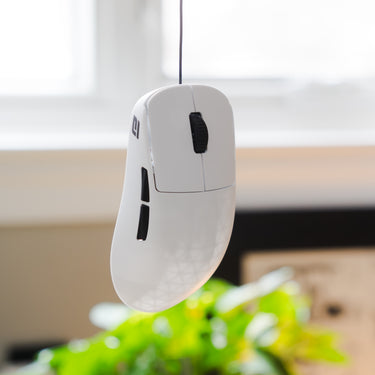


W1RXD eV2lution
• 1.3mm Ø ultra flexible soft TPE cable
• 8K polling compatible
• 1000mm main cable + 1000mm black extension
• Compatible with OP1 V1, OP1 V2, and XM2 8K
• Custom molded licensed stress relief
• Integrated silicone tube for use with all mouse bungees
• Includes desk clamp for clean cable management
• Designed by @cOoLm0Dz in Germany
INSTALLATION GUIDE
Designed for use with a mouse bungee. The cable incorporates intentional slack, enabling smooth wire movement and unrestricted flex throughout use.
Official Vendors


Disclaimer: Release dates may vary by vendor. Please contact them directly for details.
F.A.Q.
Key details on compatibility, performance, and installation.
Q: Is W1RXD eV2lution compatible with my mouse?
JST ZH 1.5mm
Compatible with Endgame Gear OP1 V1, OP1 V2, and XM2 8K.
MOLEX
Designed for mice using a MOLEX connector, including the Zaunkoenig M3K.
USB-C
Designed for wireless mice that charge via USB-C.
If you are unsure which version you need, feel free to contact us before ordering.
Q: Does W1RXD eV2lution support 8K polling?
Yes.
W1RXD eV2lution fully supports 8K polling and is built with high quality shielded internal wiring to ensure stable, consistent performance even at higher polling rates.
Q: How does W1RXD eV2lution differ from the stock cable?
At just 1.3mm outer diameter, W1RXD eV2lution is among the thinnest mass produced replacement cables available.
Instead of a traditional fabric sleeve, it uses a soft TPE outer jacket. This improves flexibility, reduces drag, and eliminates fraying commonly found in paracord style cables.
The result is a cleaner, lighter, and more responsive feel.
Q: Will W1RXD eV2lution make my mouse feel closer to wireless?
That is exactly what it is designed to do.
When paired with a mouse bungee, cable drag becomes minimal and movement feels significantly lighter. While it does not replace true wireless, it greatly reduces cable awareness during play.
Q: Is installation straightforward?
Yes.
Installation is designed to be straightforward and typically takes 5 to 10 minutes. A detailed guide is included to walk you through the process step by step.
For JST and MOLEX versions, you will need to open your mouse to replace the original cable. This process is simple and only takes a few minutes.
The USB-C version does not require opening your mouse. Simply connect and use.
If you need additional help, our support team is available at support@bymidorigroup.com
Q: Do I need to solder or modify anything?
No.
W1RXD eV2lution is fully plug and play. No soldering, cutting, or rewiring required.
For JST and MOLEX versions, you will need to open your mouse to replace the original cable. This process is straightforward and typically takes only a few minutes.
The USB-C version does not require opening your mouse. Simply connect and use.
Install, made simple
A simple guide to installing your cable.